▣ DocumentOne file to drop. Everything else is ready.
Drop your documentor Choose a filePDF · Word · Excel · Image
Automatic processing
From source file to finished PDF
PDF conversion
PDF, Word, Excel, presentations, images and other supported formats. When Excel is available, Presto keeps its native print layout; LibreOffice takes over if needed.
01
Adjustable signature
Presto looks for your name before suggesting a signing spot. It flags uncertain placement and shows a thumbnail of the signed page when processing finishes.
02
Check before exporting
A preview and alerts flag pages or tables to review. Keep the pages you need, set others aside, then adjust paper size, orientation and margins.
03
Your files stay on your Mac. Presto creates a PDF you can save or attach to an email draft.
MANY FILES · ONE WORKFLOW
Inbox
When the documents pile up.
An inbox for the whole batch
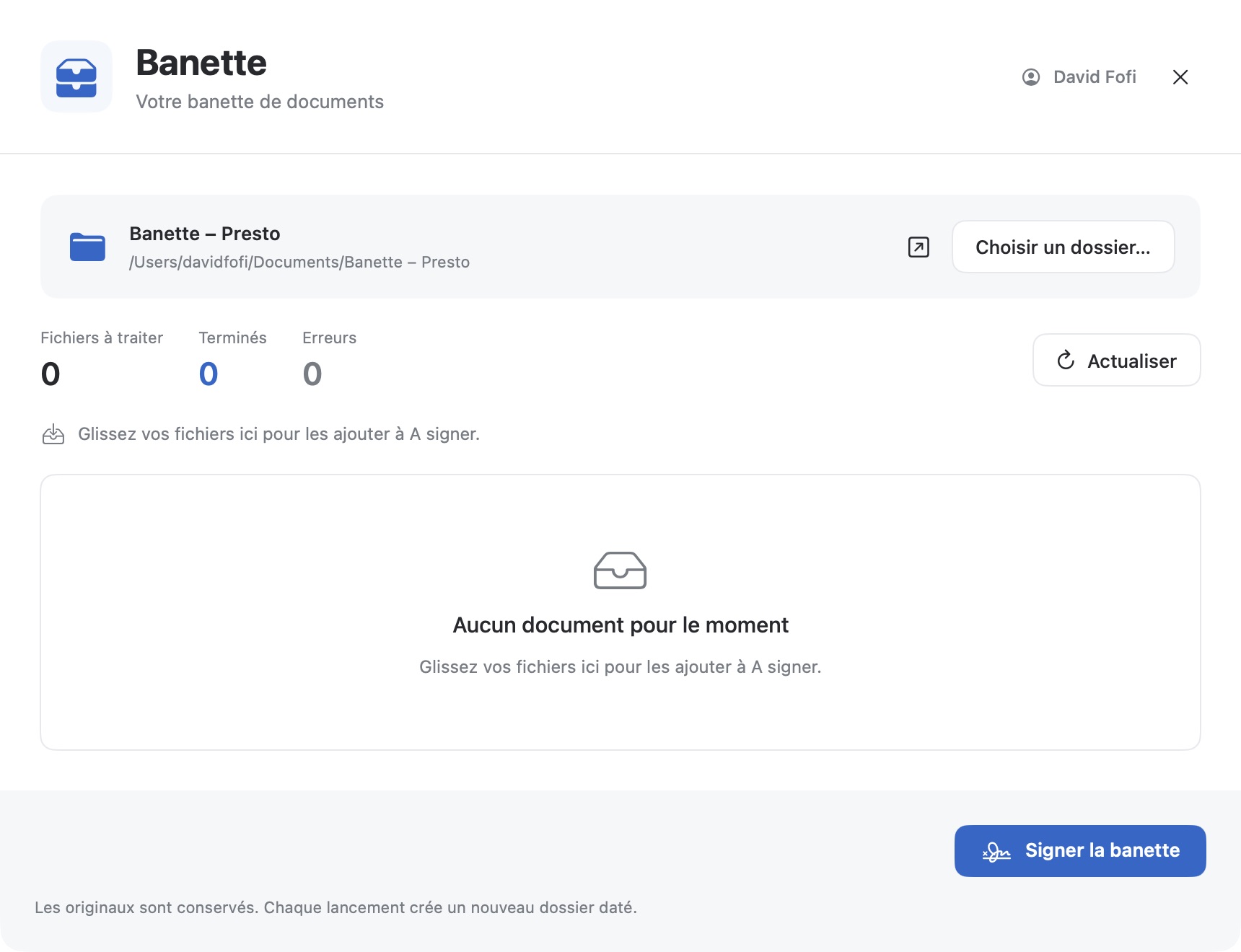
Choose a folder, drop your files into “To Sign”, then start processing. Presto applies the active profile, keeps the originals and saves the resulting PDFs in a dated folder.
01Drop one or more documents.
02Review the results and adjust them if needed.
03Save the PDFs or prepare a draft with several attachments.
Similar text-rich documents can share a signature or stamp position. You can still adjust each placement in the preview. Each pending file has a checkbox. Select several documents, review your choice, then send them to the Trash together; empty dated folders go too.
The inbox in the macOS app
SET UP YOUR OWN WAY
Profiles
A place for every way you sign.
Set up your workflow once
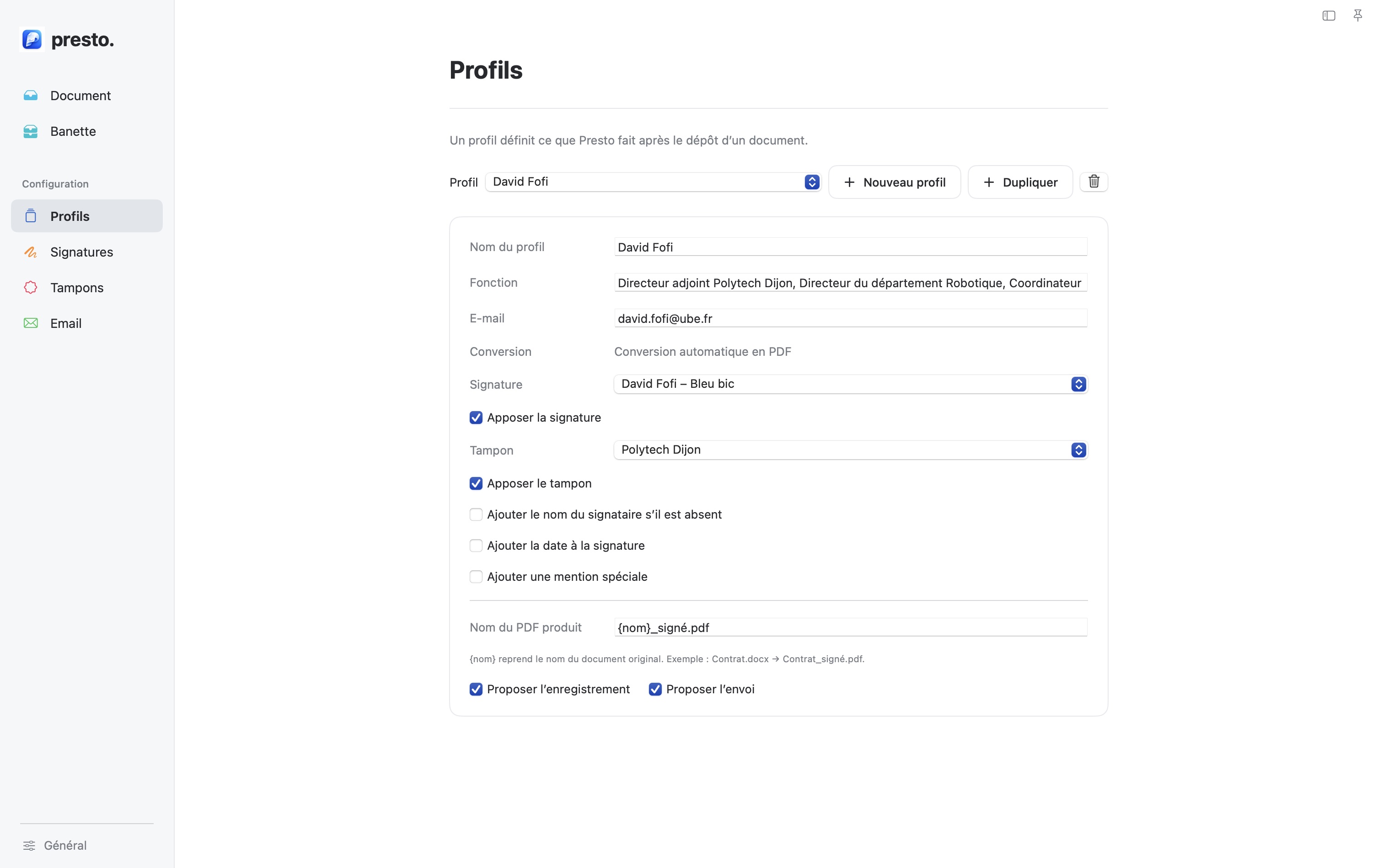
A profile groups your name, role, email address, signature and stamp. Turn on only what you need: name, date, note, signature or stamp.
IN THE APP
Choose the active profile
Presto uses its settings for the current document or the entire inbox. Create several profiles for different uses.
Profiles in the macOS app
YOUR SIGNATURE · YOUR PLACEMENT
Signatures
The finishing touch, in your hands.
Draw or import your signature
Create a signature with your mouse or trackpad, or import a transparent PNG. Choose black, blue, red, green or Bic blue ink, and keep each signature in the right profile.
01
Find a spot
Presto looks for signing areas in the document text.
02
Adjust
Move and resize the signature in the preview.
03
Review
Check the PDF before exporting it.
NOTE · SEAL · IDENTITY
Stamps
The right stamp in the right place.
Text, drawing or image
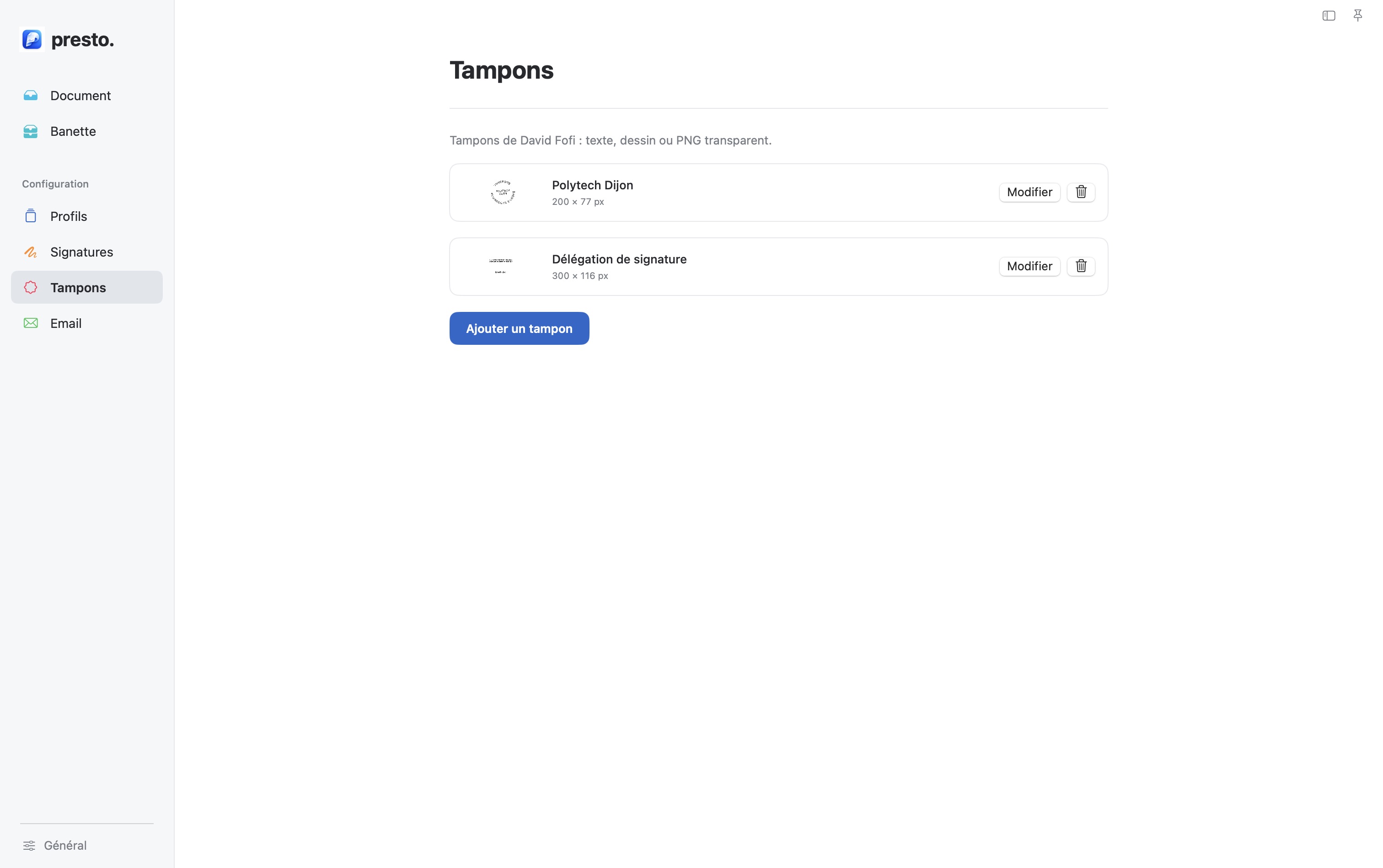
Create a text stamp, draw one or import an image. You can remove a white or light background, then adjust its position and size directly on the document.
INDEPENDENT PLACEMENT
Signature and stamp stay independent
Each has its own frame in the preview and can be adjusted without moving the other.
Stamps in the macOS app
A PDF READY TO SHARE
Email
Prepare the message. You press Send.
A draft with your PDFs
After processing, Presto can open a draft in a compatible mail app. In Apple Mail, prepare subject and message templates and favorite recipients. From the inbox, add several finished PDFs to one draft.
Presto opens a draft with attachments. It never sends your message automatically.
M1 chip or later. macOS 13 Ventura or newer. This build does not support Intel Macs.
GOOD TO KNOW
Always check the preview
Conversion cannot guarantee perfect fidelity for every file. The added signature is a visible image, not a qualified cryptographic digital signature.
This build is not notarized by Apple. If macOS blocks it, use System Settings → Privacy & Security → Open Anyway after making sure you trust this copy.
RELEASE BY RELEASE
Release notes
Small releases. Big cleanups.
What’s new in Presto, straight from the app. The latest releases lead the way.
Excel now exports its workbooks first. Orientation, margins and centering follow the native PDF. Presto stops rebuilding the scenery after the curtain goes up.
v0.23.0
The signature comes into focus.
Presto looks for your name before signing and flags uncertain positions. A PDF thumbnail shows the signature as soon as processing finishes.
v0.22.1
Zoom stays inside the lines.
Zoom eats into margins, not your document. Maximum centered fit and a fresh check after adjustment help spot missing content.
v0.22.0
The radar is on.
One click in General and Presto tracks down the latest release. Something new? Your download awaits.
v0.21.0
The big sweep.
Select, review, clear out: move multiple inbox documents to Trash in one go. Empty dated folders follow along.
v0.20.0
Pages fall into line.
Keep useful pages, set the others aside and bring them back when needed. Portrait or landscape: the whole crew follows unless you allow a mix. Every pending inbox file now has its checkbox.
v0.19.3
The way out is over here.
Sidebar hidden? A button takes you back to your document from settings. No need to unfold the map to find your way back.
v0.19.2
Presto has a home on the web.
A little globe in General, and off you go to the Presto website.
v0.19.1
The system takes the wheel again.
Light, dark, then system: Presto hands the keys back to macOS. Dark mode no longer lingers after the party.
v0.19.0
Same template, same move.
The inbox recognizes matching templates. Move a signature or stamp and its cousins follow, each in its own lane. Unsigned originals stay ready for adjustments after restarting.
v0.18.0
The inbox gives you a sign.
A checked envelope marks PDFs passed to your email client. The date sticks around; edit the PDF and the mark resets. Your digital postman still handles the final send.
v0.17.0
Welcome aboard. Keys, please.
A warm-up lap to meet Presto, authorize the inbox and team up with Office and Mail. The Trash gets a checkup. Restart the tour from General.
v0.16.0
The inbox remembers.
Signed documents stay signed. Drop files into the inbox: Presto copies them and handles matching names without overwriting anything. The Share menu finally opens the door.
Clean up from the inbox: files go to the Trash, and empty dated folders leave the stage.
v0.15.0
Mail gets an upgrade.
Choose your client, check compatibility, and save templates and favorite recipients per profile. The inbox packs multiple PDFs into one draft. The final click is yours.
v0.14.0
Presto steps outside.
Right-click, Open With Presto, and off you go. Process with Presto also brings files from other apps. Files wait their turn without pushing aside your current document.
v0.13.1
Frames that fit.
The blue frame follows the image file proportions: signatures and stamps no longer float in an oversized suit.
Edit opens the right record immediately: name, image and settings stay aboard.
v0.13.0
The signature gets measured.
Each signature remembers its size without stretching. Captions get a full inspection: every line must make it aboard.
v0.12.0
Room for each.
Signature and stamp gain independence: move and resize either without affecting the other. Proportions stay in line.
v0.11.1
The stamp keeps its shape.
Change the width and the height follows. Change the height and the width follows. No more stamp stretching.
v0.11.0
The stamp sticks with the signature.
Each stamp gets its own size: width and height in pixels, saved for future signatures.
Stamp the signature: partial overlap, same page, same movement, same scale. The PDF filename has also found its place among the output options.
v0.10.0
The stamp sheds its background.
Import an image, remove its light background and adjust the tolerance. The checkerboard previews the result before saving: goodbye, bulky paper rectangle.
v0.9.1
One frame is enough.
Ghost frames leave the stage: reopening signature adjustment no longer leaves the previous blue frame behind.
v0.9.0
Grab that signature.
Drag the frame, pull its corners: the signature follows your mouse. The slider keeps up and the PDF waits until you let go. Same comfort in the inbox.
v0.8.2
Buy me a coffee
Coffee for the road? The Buy me a coffee link is waiting in General.
v0.8.1
Everyone scales together.
Name, date and notes now follow along: shrink the signature and the whole crew shrinks with it.
v0.8.0
Room for your signature.
Small initials or a grand autograph: resize the frame from 25 to 200%, in previews and the inbox.
v0.7.0
You set the frame.
Format, margins, rotation, scale: the controls land in the preview. One unruly page or the whole document — your call.
Try, adjust, confirm. The signed PDF is regenerated; Cancel keeps the previous version safe.
v0.6.0
PDFs fall into line.
Portrait, landscape, scaling: Presto tries to bring overflow back onto the page. Doubtful cases keep their warning.
The PDF boards the email. One click opens the client with its attachment. The extra form retires.
Preview and new document: proper buttons, without the flashing lights.
v0.5.2
The original stays put.
Every conversion uses an isolated copy. If it fails, the working copy and error message remain available for recovery.
v0.5.1
The changelog breaks cover.
The version number moves into General. Low-key. No more scavenger hunts.
Updates get their own journal. Strong coffee, short sentences. You are reading it.
v0.5.0
Paperwork gets a wake-up call.
Design 03f is aboard. The inbox dresses up, content finds its centre, and home gets its front door back.
Ciao, hola, hallo! Italian, Spanish and German join French and English.
Rotated PDFs, cropped pages, annotations: bolts tightened. The preview is still your co-pilot.
Tidier signatures, cached previews, time-limited conversions. Less chaos under the bonnet.
Office closes conversion documents when done. Your already-open documents keep their seats.
A NOTE FOR THE DEVELOPER
Contact
A bug, an idea, or just a kind word? I read every message.
Your turn at the keyboard
Tell me what broke, what is missing, or what made you smile. Fields marked * are required.